
Google Pics Pricing: What the Google Workspace AI Image Editor on Nano Banana Costs
Google Pics is the AI image editor and generator built into Google Workspace, running on Google’s Nano Banana model — not a photo storage app, and not a place you upload memories to keep. Google Pics has no standalone price: access comes bundled with a subscription you may already hold, according to the official announcement on the Google blog, so the real question isn’t “how much does it cost” but “does my current plan already include it.”
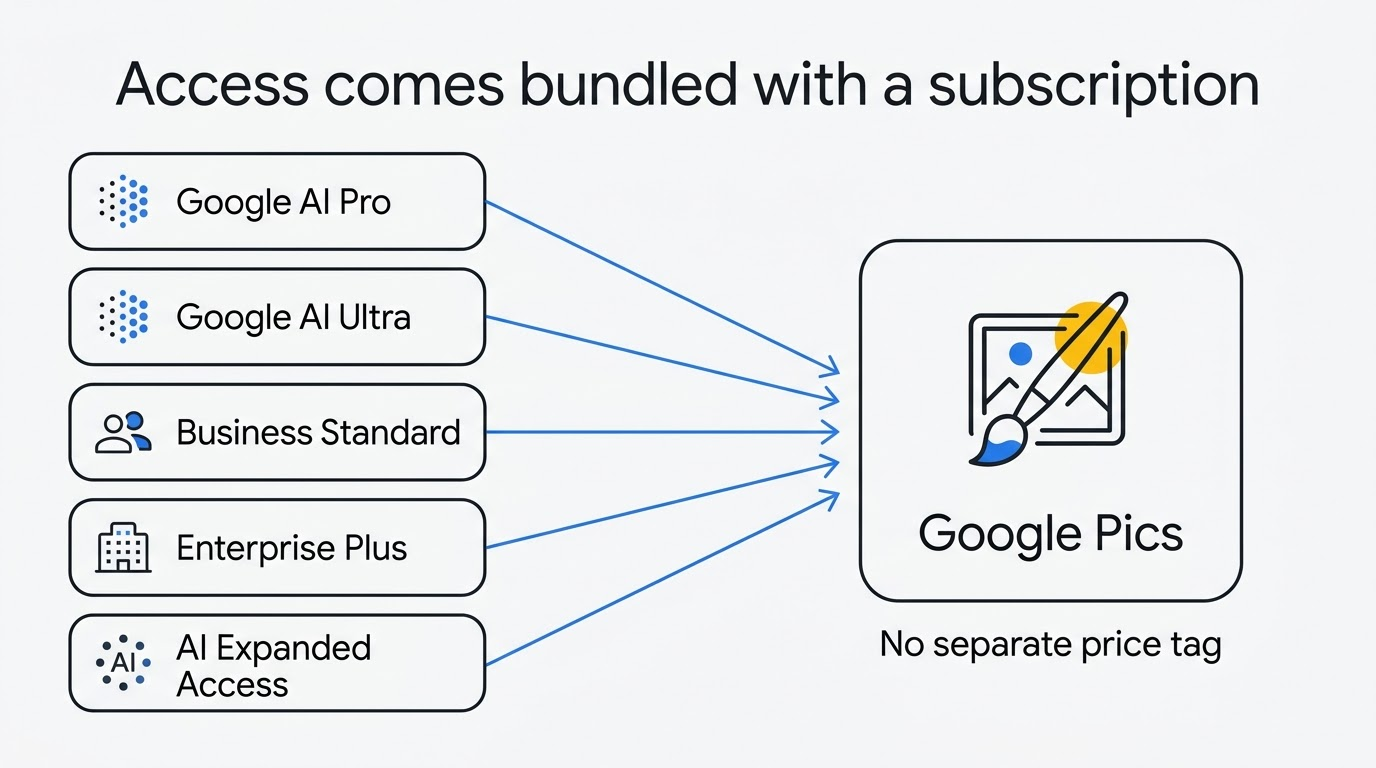
The short version: it’s included in personal Google AI Pro and Google AI Ultra, in Workspace Business Standard, Business Plus, Enterprise Standard, and Enterprise Plus, and in the AI Expanded Access and Google AI Pro for Education add-ons. Business Starter is left off the list, and there is no free tier at all.
Is Google Pics free?
The short answer
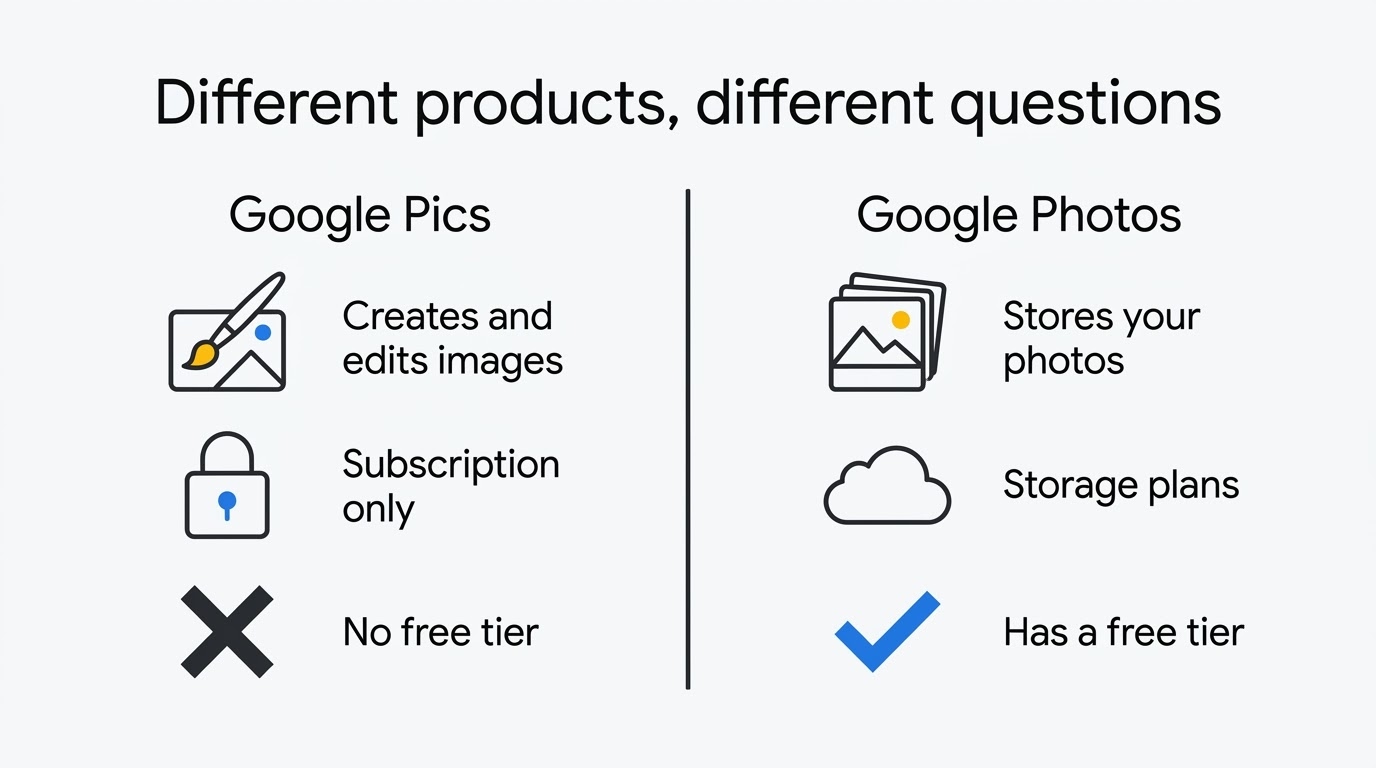
No. There’s no free tier. Nothing in the Google blog post, the Workspace Updates rollout announcement, or the Google Docs Editors Help article mentions a free version or a trial mode for Google Pics specifically. Access exists only as part of a paid subscription — personal or Workspace.
Why search results say otherwise
Most of what search turns up for “is Google Pics free” is actually about Google Photos’ free storage tier and its limits. That’s a different product answering a different question: Photos stores the pictures you already have, while Google Pics AI image editor creates and edits new ones. If you landed here looking for free cloud storage, you want Google Photos, not this tool — see how the two compare on our Google Pics vs Google Photos page.
Opening pics.new itself costs nothing and works for anyone with a Google account — but the editor only functions once that account sits on a plan that carries the entitlement. Signing in with an account on an ineligible plan gets you the login screen, not the tool.
Google Pics has no standalone price
You can’t buy Google Pics on its own. There’s no dedicated checkout page, no per-seat license sold separately, and no credit pack for sale anywhere in the announcement, the Workspace product page, or the support documentation. It ships as a feature of a subscription, the same way Google Docs or Slides do — not as a product with its own SKU.
Practically, that means your real question isn’t “what does Pics cost” but “does the plan I already pay for include it, and if not, what’s the cheapest plan that does.” The two tables below answer exactly that, without inventing numbers Google itself doesn’t publish on a fixed page — Google Workspace’s pricing is served dynamically by region and currency, so any dollar figure printed here would be wrong for a chunk of readers and stale within weeks for the rest.
Personal plans that include Google Pics
If you’re on a personal Google account rather than a work domain, access runs through the Google AI subscription family.
| Personal plan | Includes Google Pics |
|---|---|
| Free Google Account | No |
| Google AI Pro | Yes |
| Google AI Ultra 5x | Yes |
| Google AI Ultra 20x | Yes |
Google AI Pro is the entry point — the cheapest personal subscription on the eligibility list. A few points worth knowing before you check your own plan:
- The Ultra tiers add larger usage allowances elsewhere in the Google AI product family, but Google hasn’t stated that they change anything about the editor itself.
- Personal accounts in Germany are carved out: Google’s help article states plainly that Google Pics is not available for personal use accounts in Germany.
- A storage-only Google One plan, with no AI tier attached, does not carry the entitlement.
Prices for this family vary by country and currency and are shown only at checkout, so the one number worth acting on is whatever Google’s AI plans page displays for your own region — not any figure printed on a third-party page.
Workspace editions that include Google Pics
This is the table that matters most for anyone on a work account. According to the Workspace Updates rollout post and the support article, eligibility is set at the edition level, not per user.
| Workspace edition or add-on | Includes Google Pics |
|---|---|
| Business Starter | No |
| Business Standard | Yes |
| Business Plus | Yes |
| Enterprise Standard | Yes |
| Enterprise Plus | Yes |
| AI Expanded Access add-on | Yes |
| Google AI Pro for Education add-on | Yes |
| Legacy AI Ultra Access add-on | Yes (access retained) |
| Legacy Gemini Business / Enterprise add-on | Yes (access retained) |
Business Standard is the practical minimum for most companies. It’s the cheapest full edition that includes the editor, which makes it the natural upgrade target for anyone currently on Starter.
The add-on route is easy to miss. An organization on an edition that doesn’t qualify can attach AI Expanded Access rather than move every seat to a higher edition — often the cheaper path when only a few people actually need the tool.
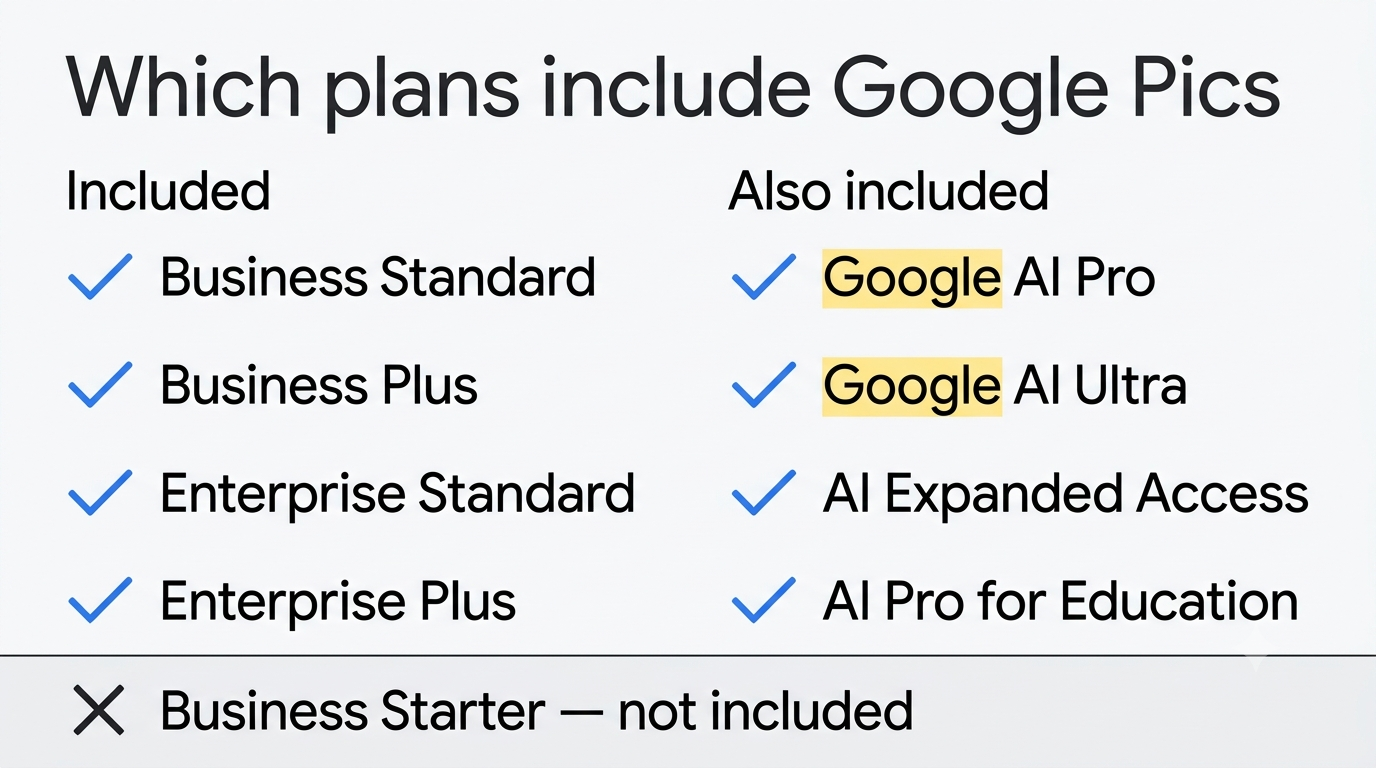
Schools have their own version. Google AI Pro for Education extends the same entitlement to education domains without requiring a full edition change.
Current per-seat rates, by term and region, live only on the official Google Workspace pricing page — reprinting a figure here would misstate it for most readers within a payment cycle.
Why Business Starter does not get Google Pics
Business Starter is the one mainstream Workspace edition left off the eligibility list in both the support article and the Workspace Updates post. Google has not explained why — no note about a future addition, no stated technical or pricing rationale. That’s worth saying plainly rather than guessing at a reason.
If you’re on Starter and want the editor, there are two routes:
- Upgrade the whole domain to Business Standard, which brings the editor and everything else that edition includes.
- Keep Starter and attach the AI Expanded Access add-on to just the seats that need it.
Which is cheaper depends on headcount and on what else the higher edition brings. Either way, the fastest way to confirm your actual edition is the Admin console, not guesswork — Google Pics access and rollout covers what an administrator controls.
Quotas: how many images you can actually make
Paying for an eligible plan doesn’t buy unlimited generation, and Google has not published generation quotas — so any specific “N images per day” figure you see elsewhere is a guess, not a fact from Google.
Google Pics is available in all countries and regions supporting Google Workspace accounts.
Google Docs Editors Help
Three things are officially confirmed instead. Generative features carry usage limits. Downloading at higher resolution consumes those limits faster than working at standard resolution. And expanded access to generative features runs through February 28, 2027, after which limits may tighten — with advance notice promised, according to the support documentation.
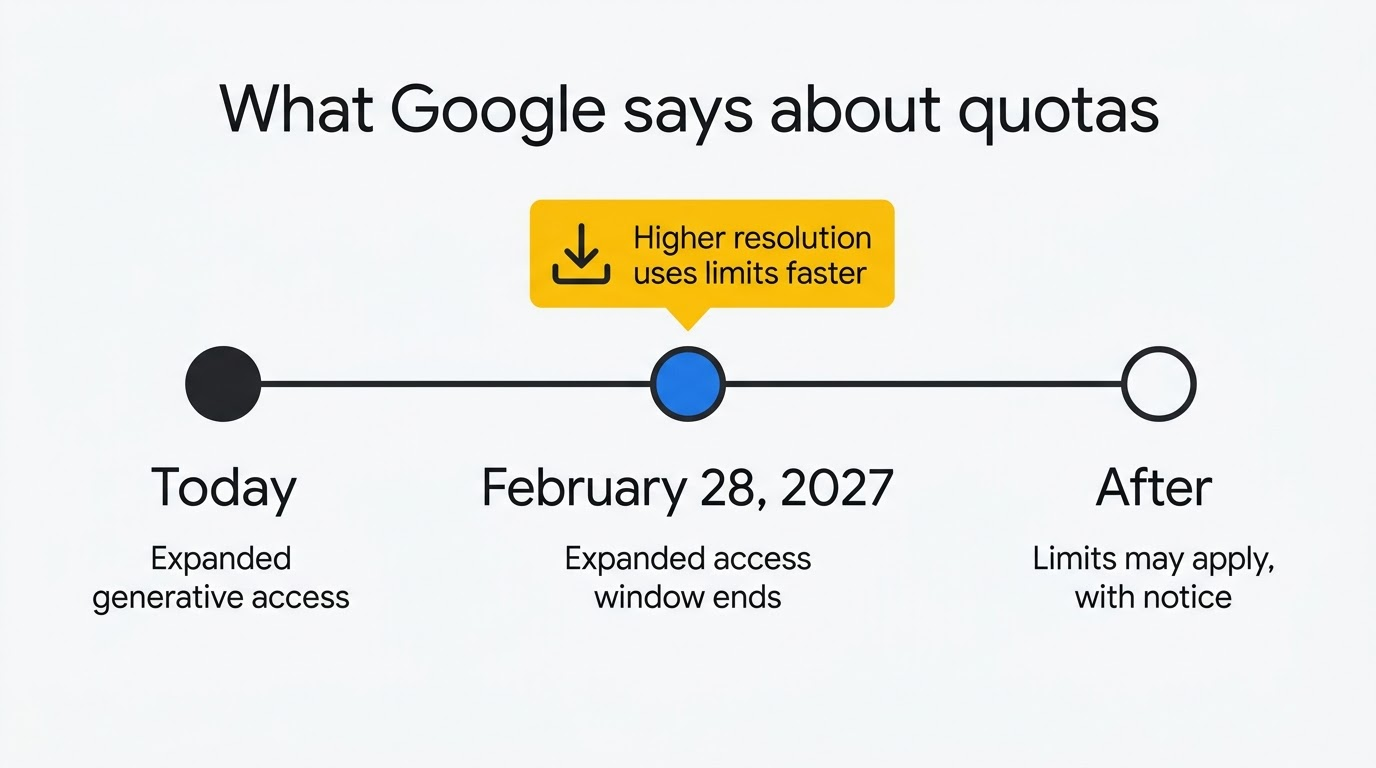
The honest planning takeaway: treat today’s allowance as generous but temporary, and save high-resolution exports for finished work rather than every draft variant.
How to check whether you already pay for Google Pics
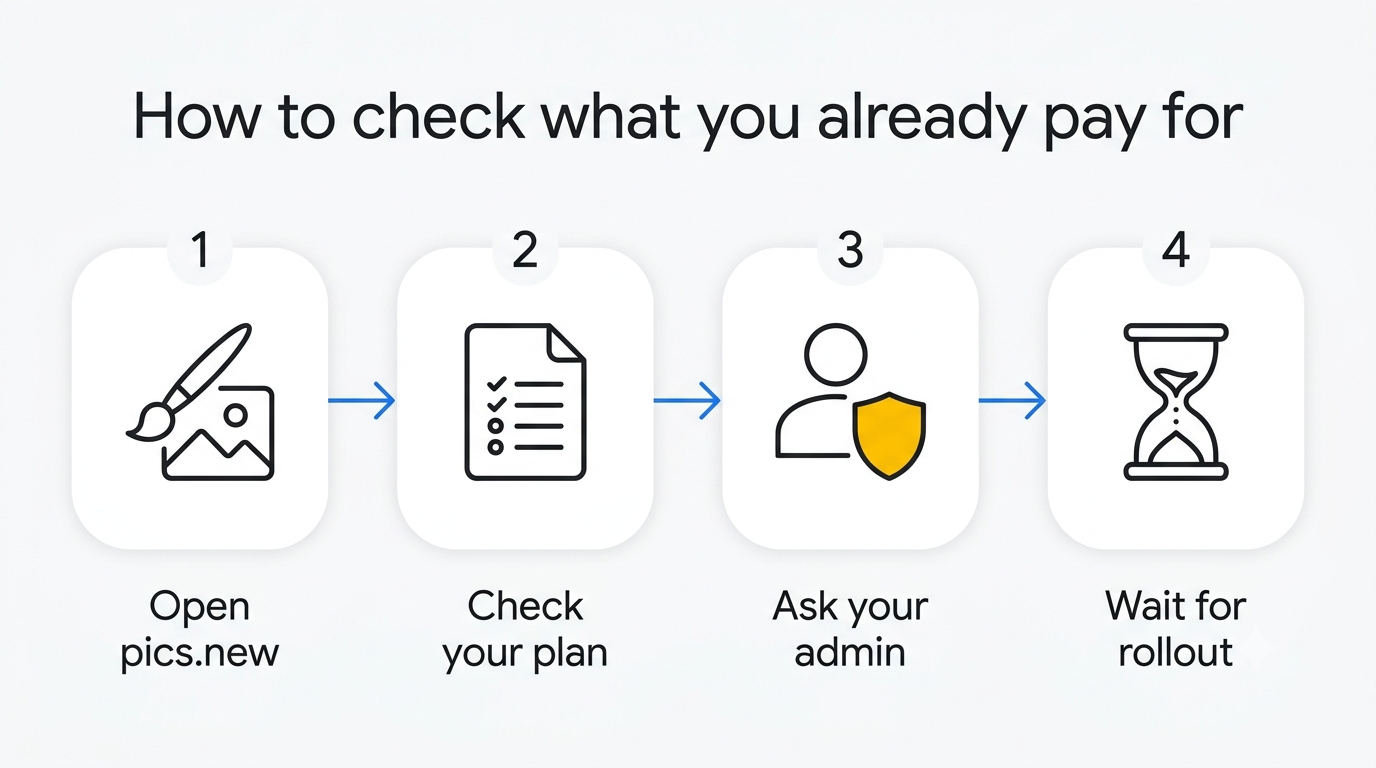
- Open pics.new while signed in to the account you want to use. If the editor loads and lets you generate, you’re already covered.
- On a personal account, open your Google One subscription page and check which AI plan is active — a storage-only plan does not qualify.
- On a work account, ask your administrator which Workspace edition the domain runs, or check Billing in the Admin console if you have access.
- If the edition is Business Starter, compare the cost of upgrading to Business Standard against attaching the AI Expanded Access add-on for just the seats that need it.
- If the edition is already eligible but the tool is missing, the cause is rollout timing or an admin-level setting — not billing. Rapid Release began September 1, 2026, and Scheduled Release began September 15, 2026, with up to 15 days for full visibility.
For a full walkthrough of turning the entitlement into an active editor, see Google Pics in Workspace and the getting-started guide.
Google Pics pricing vs Google Photos storage pricing
The two products get billed in completely different ways, which is the real source of the pricing confusion.
- Google Photos storage is metered in gigabytes and billed through Google One storage plans.
- Google Pics in Workspace is a generative and editing tool, bundled into AI or Workspace subscriptions rather than sold by the gigabyte.
- The same entitlement covers editing inside Docs and Slides, not just the standalone editor at pics.new — see how that integration works on the Google Pics docs integration page.
Paying for Google One storage alone does not unlock the editor. Only a Google One subscription that includes an AI plan tier — or a qualifying Workspace edition — does that. Confusing the two is the single most common reason people assume they already have access when they don’t, or assume they need to pay more for storage when what they actually need is a different subscription tier. More edge cases like this are covered on the general Google Pics FAQ page.
Official sources
Every plan, date and limit on this page comes from a Google page you can open yourself — useful here, because search still fills up with Google Photos storage pricing instead.
| What it confirms | Official document | Link |
|---|---|---|
| What Google Pics is and when it launched | Launch announcement on the Google blog | blog.google |
| Feature set and the Workspace rollout | Google Workspace blog announcement | workspace.google.com/blog |
| Eligible plans, quotas and the 28 February 2027 date | Docs Editors Help: Google Pics availability | support.google.com |
| Current Workspace edition rates for your region | Google Workspace pricing page | workspace.google.com/pricing |
| What personal Google AI Pro and Ultra plans include | Google AI plans page | one.google.com |
| The editor itself, to test your own access | Entry point for Google Pics | pics.new |