
Google Pics Documentation: the Google Workspace AI Image Editor Built on Nano Banana
Google Workspace launched Google Pics on 1 September 2026, an AI image editor built on Google’s Nano Banana image generation and editing model. This page works as a reference: what the product actually does, where its limits sit, and which official Google document backs each claim, according to Google’s own launch announcement.
Google Pics is not Google Photos, and it is not a storage app for camera roll snapshots. It is a working editor that lives inside Google Workspace, meant for people producing posters, social posts, and digital illustrations who need to change one element of an image rather than regenerate the whole frame from a new prompt — the full list of what it can do is on our features page. If you have landed here comparing the two products, the differences between Pics and Photos are laid out on our vs. Google Photos page.
Entry points and interface
There are three ways into Google Pics, and they cover most of where images already live in a Workspace account.
Standalone at pics.new
The editor opens on its own at pics.new, following the same short-address pattern as docs.new and slides.new. This is the version to use when you are starting an image from nothing, rather than editing one already sitting in a document.
Inside Docs and Slides
From launch, clicking an existing image inside Google Docs or Google Slides opens the same editing controls as an overlay on the page, without switching tabs or apps. That is the detail Google emphasizes most in its own material — editing where the image already sits, not in a separate tool. A fuller walkthrough of each control lives on our how-to guide.
Drive integration
Google Drive integration was announced as arriving “in the coming weeks” after the 1 September 2026 launch, alongside Docs and Slides. Files can already be dragged directly from Drive into the editor, and Drive is where Pics creations are stored once made — the same pattern as the rest of the Workspace suite. How that fits into the wider Workspace picture is covered on our Workspace integration page.
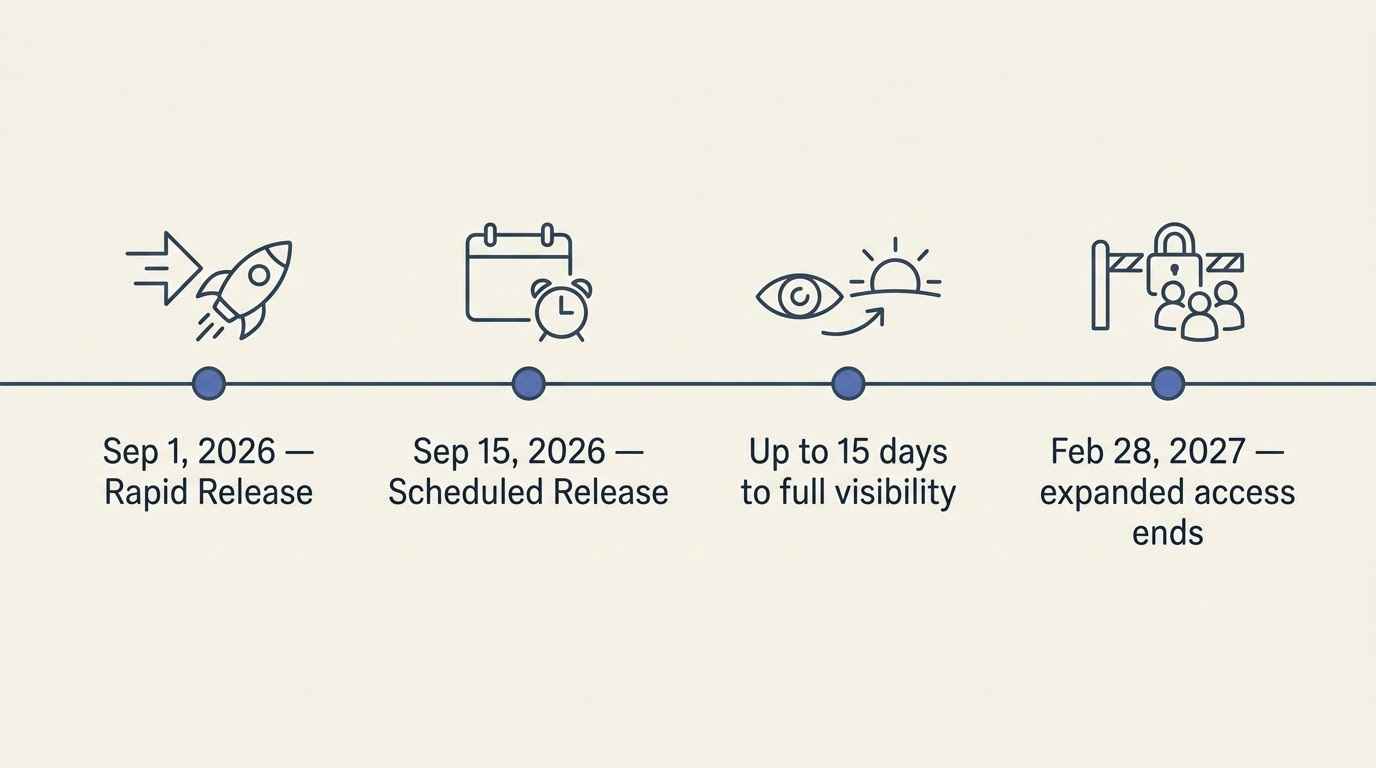
Rollout followed Google’s usual two-track release schedule: Rapid Release domains got Google Pics starting 1 September 2026, Scheduled Release domains from 15 September 2026, with full visibility taking up to 15 days either way — a timeline confirmed in the Workspace Updates post.
Generating an image
Multiple options from one prompt
A single prompt in Google Pics returns several generated variations at once, rather than one result you either accept or discard. The practical effect is that the first decision after writing a prompt is usually a choice between iterations, not a rewrite of the wording.
What the model is (and what the press calls it)
Google’s own announcement names the underlying model as Nano Banana — nothing more specific. The term “Nano Banana 2” appears in some outlets covering the launch, but that naming is press attribution, not a label Google itself has used for Pics in its blog post or the Workspace release note, so it should be read as speculation rather than a confirmed model version.
Editing what already exists
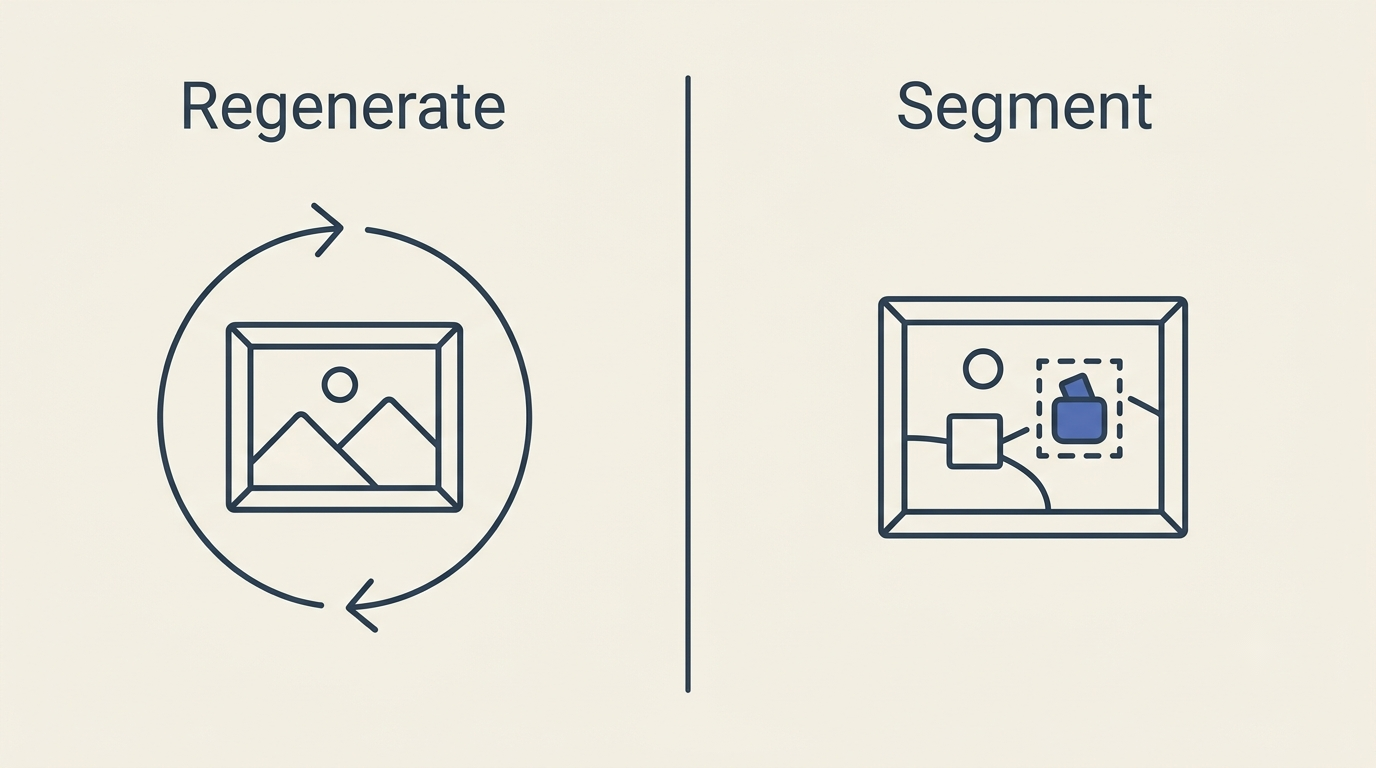
Generating from a blank prompt is only half of what Google Pics AI image editor is for — the other half is precise, targeted edits to an image that already exists, imported or generated.
Object segmentation
The core editing capability is isolating a single object inside a picture and transforming it — moving, resizing, or reshaping it — while the rest of the frame stays untouched. Text comments can be attached to specific areas of an image to request a targeted change, and several edits can run in one pass. Some press coverage has framed this as the end of “prompt-and-pray” generation, where a dissatisfying result means starting the whole prompt over — a catchy label from reviewers, not a phrase Google itself uses in its launch material.
Text inside the image
Text baked into a picture — a headline on a poster, a label on a mockup — can be modified, reformatted, or translated without breaking the layout or swapping the font. According to the Docs Editors help centre, generation and editing are supported across roughly 30 languages — the supported languages list names 29 for image generation — which is what makes this feature useful for turning one approved design into a set of localized versions for different markets.
You shouldn’t have to jump between applications to create and share visuals. Now, you can harness powerful AI image generation and editing right where you are — no copying, pasting, or switching tabs required.
Meg Whittenberger, Google Workspace blog
Imports and where files come from
Source images for Pics can come from any of three places:
- Your computer, uploaded directly.
- Google Drive, dragged straight from a Drive window into the editor rather than uploaded through a picker.
- Google Photos — an import source, not a sign that Pics and Photos are the same product.
One honest gap: Google has not published a list of accepted file formats or extensions for Pics anywhere in its launch material, the Workspace blog post, or the help centre. Any specific table of supported formats circulating elsewhere is not sourced from Google, so this page does not invent one — only the three import origins above are documented.
Cropping and upscaling to 2K and 4K
Both the Workspace blog post and the Workspace Updates release note list cropping presets for web, social, print, and digital formats, plus upscaling output to 2K and 4K resolution. The catch is metered rather than technical: the help centre states that downloading at a higher resolution consumes generative usage limits faster than a standard-resolution download, so a 4K export is not “free” relative to a smaller one.
Here is a short comparison of what each output size fits, based on the general categories Google’s material describes:
| Output | Typical use | Cost against quota |
|---|---|---|
| Standard resolution | Web preview, quick social post | Baseline |
| 2K upscale | Larger social formats, presentation slides | Higher |
| 4K upscale | Print, large-format digital signage | Highest |
To get from a raw generation to a finished, right-sized export, the process generally follows the same handful of steps:
- Open Pics at pics.new or click an image inside Docs or Slides.
- Write a prompt, or import a source image from your computer, Drive, or Photos.
- Pick one of the generated variations, or select an object to edit directly.
- Apply targeted edits — segmentation, in-image text changes, or translation.
- Choose a crop preset for the destination (web, social, print, digital).
- Upscale to 2K or 4K if the destination needs it.
- Save the result to Drive, or return to an earlier version if the outcome is worse.
Versions, undo and collaboration
Pics keeps a version history, letting you step back to an earlier state after applying a batch of edits — useful precisely because several changes can be made in one pass before you know whether the result works. Collaboration follows the same conventions as the rest of Google Pics by Google Workspace: invite people, share by link, and edit the same image together, with the file itself living in Google Drive like any other Workspace document.
Watermarking, SynthID and rights to what you create
Two things here are genuinely unconfirmed, and this page marks them as such rather than filling the gap.
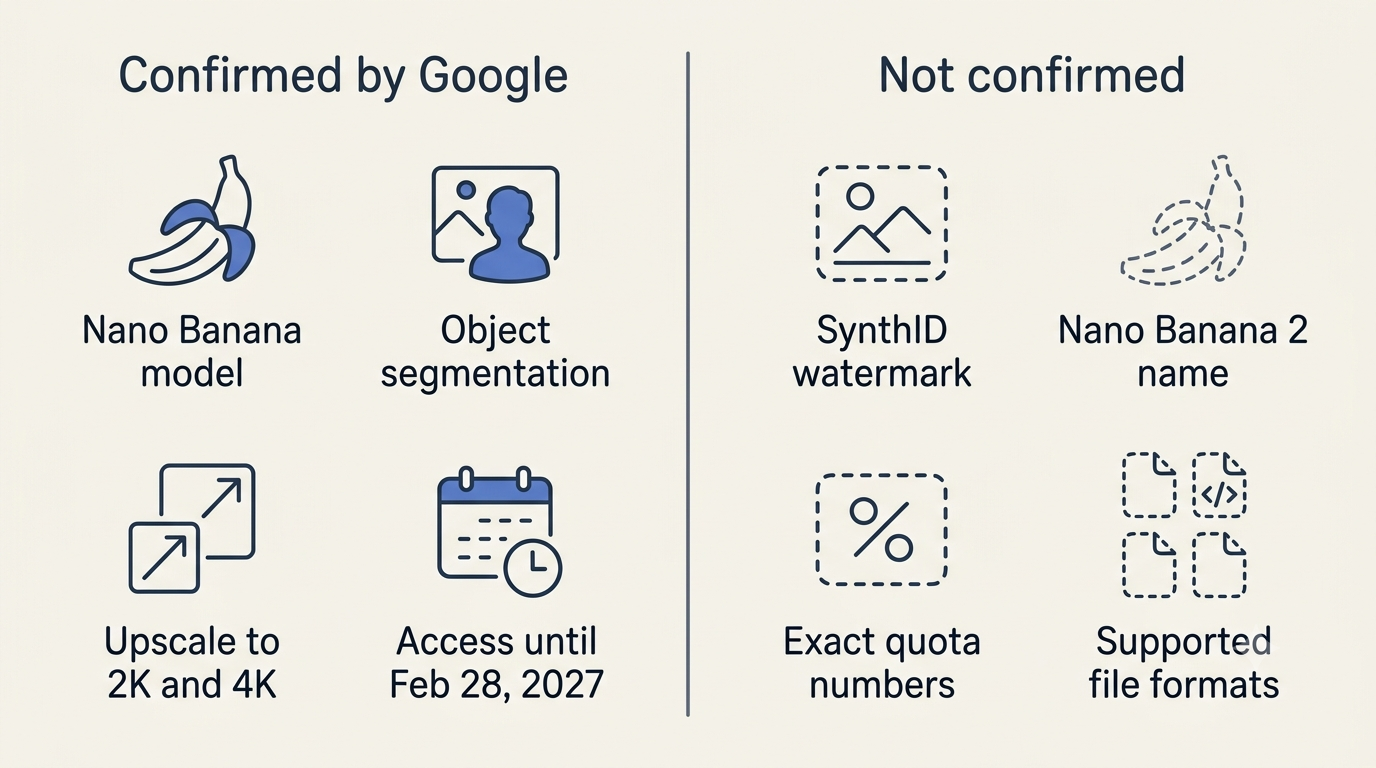
- SynthID. Neither the blog post, the Workspace Updates note, nor the help centre mentions a watermark in connection with Pics. Google’s SynthID watermarking has been applied to output from other Google generative image models, and some press coverage has assumed the same applies to Pics — but that is an inference by outlets covering the launch, not a statement Google has published about this specific product.
- Rights to generated images. Google has not published Pics-specific terms covering ownership or usage rights for what you create. What applies is the general terms attached to the account type you are using — a Workspace business agreement or a personal Google account — the same as for any other content produced inside Workspace apps. Questions about commercial use of generated images fall under those account terms, covered further on our FAQ page.
Quotas, limits and expanded access until 28 February 2027
Google Pics runs on usage quotas for its generative features, but Google has not published specific numbers anywhere in its official material — not in the launch post, the Workspace blog, or the help centre. What is documented is the shape of the limit, not its size: downloading at higher resolution uses up more of the allowance than a standard download, and expanded generative access is guaranteed through 28 February 2027. After that date, Google states limits may be adjusted, with advance notice promised before any reduction takes effect. Pricing tiers and what each one includes are broken down on our pricing page.
Who has access
According to the help centre’s availability page, Google Pics is included for:
- Workspace Business Standard and Business Plus
- Workspace Enterprise Standard and Enterprise Plus, or via the AI Expanded Access add-on
- Personal Google AI Pro, Google AI Ultra (both the 5x and 20x tiers), and Google AI Pro for Education
Business Starter is not on the list. The feature is available in every country and region where Workspace accounts are generally supported, with one stated exception: personal accounts in Germany. Administrators get it turned on by default and can switch it off at the domain, organizational unit, or group level — details for admins and end users alike are covered on our access page.
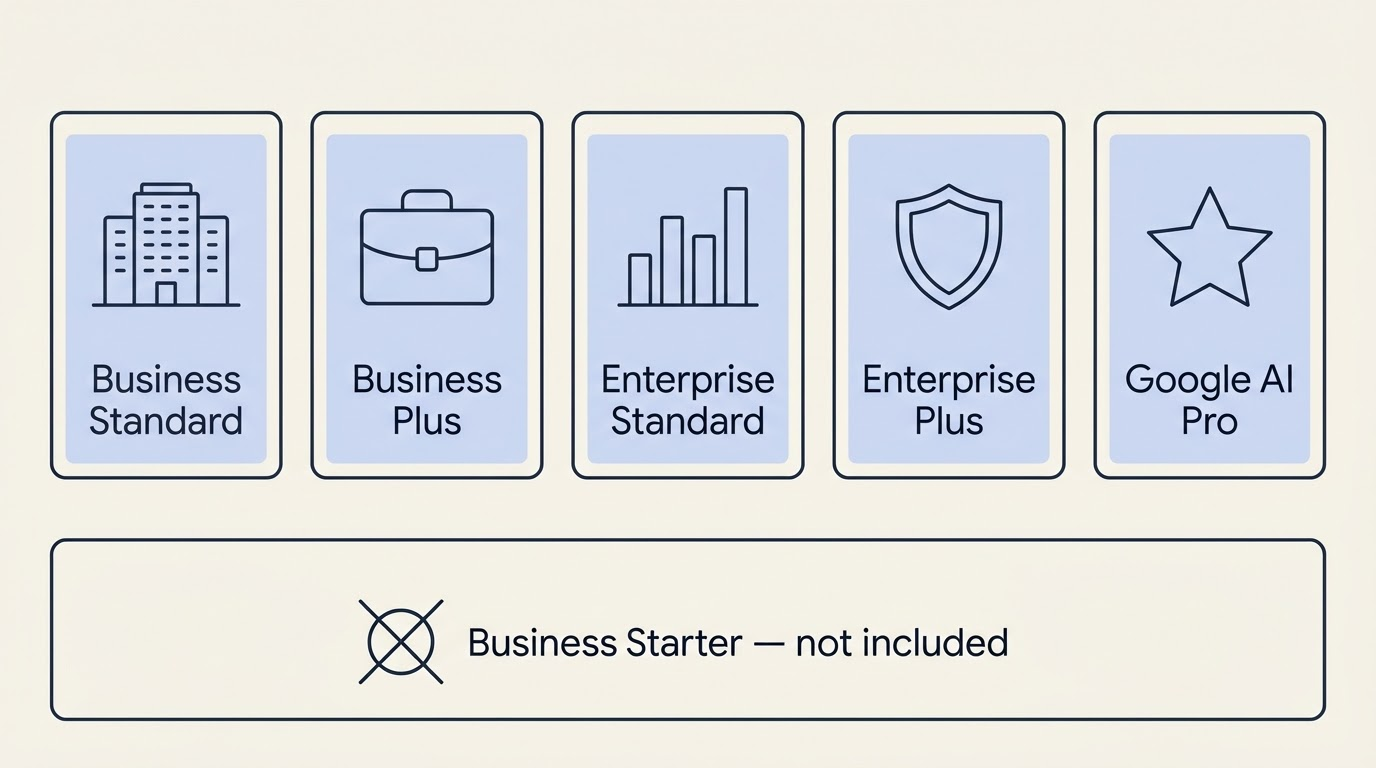
The Google AI plans page is the fastest way to check whether a given personal subscription already includes the tool before assuming an upgrade is needed.
Official sources: where to look each fact up
Search results for “google pics” still surface a lot of older Google Photos content, so knowing exactly which Google page carries which fact matters more than usual here.
| Fact | Official document | Link |
|---|---|---|
| What Pics does and when it launched | Blog.google launch announcement (1 Sept 2026) | blog.google |
| Full feature list and Workspace use cases | Google Workspace blog post | workspace.google.com/blog |
| Rollout dates, admin controls, upscaling, versions | Workspace Updates release note | workspaceupdates.googleblog.com |
| Eligible plans, countries, languages, quotas, 28 Feb 2027 date | Docs Editors Help | support.google.com |
| Exact list of supported generation languages | Supported languages for Workspace with Gemini | support.google.com |
| Turning Pics on or off for users | Workspace admin knowledge base | knowledge.workspace.google.com |
| What personal Google AI Pro / Ultra plans include | Google AI plans page | one.google.com |
| Product page for Google Pics | Workspace product page | workspace.google.com/products/pics |
| The editor itself | Entry point | pics.new |
FAQ
The questions below cover what people usually search for right after landing here — access, output size, the underlying model, and how Pics relates to Google Photos.