
Google Pics vs Google Photos: the Workspace AI Image Editor Is Not Your Photo Library
Google Pics is the AI image editor inside Google Workspace, built on the Nano Banana model and opened at pics.new; Google Photos is the older, separate service that backs up, stores and organises the pictures you already took. Google announced the editor on 1 September 2026 as an image creation and editing tool for work, not as an update to anyone’s photo album. Same company, near-identical nickname, completely different job.
If you arrived here after searching for Google Pics because your phone gallery changed overnight, the short answer is that nothing changed — you are looking for Photos, and the section on which one you were actually after will get you there in a minute.
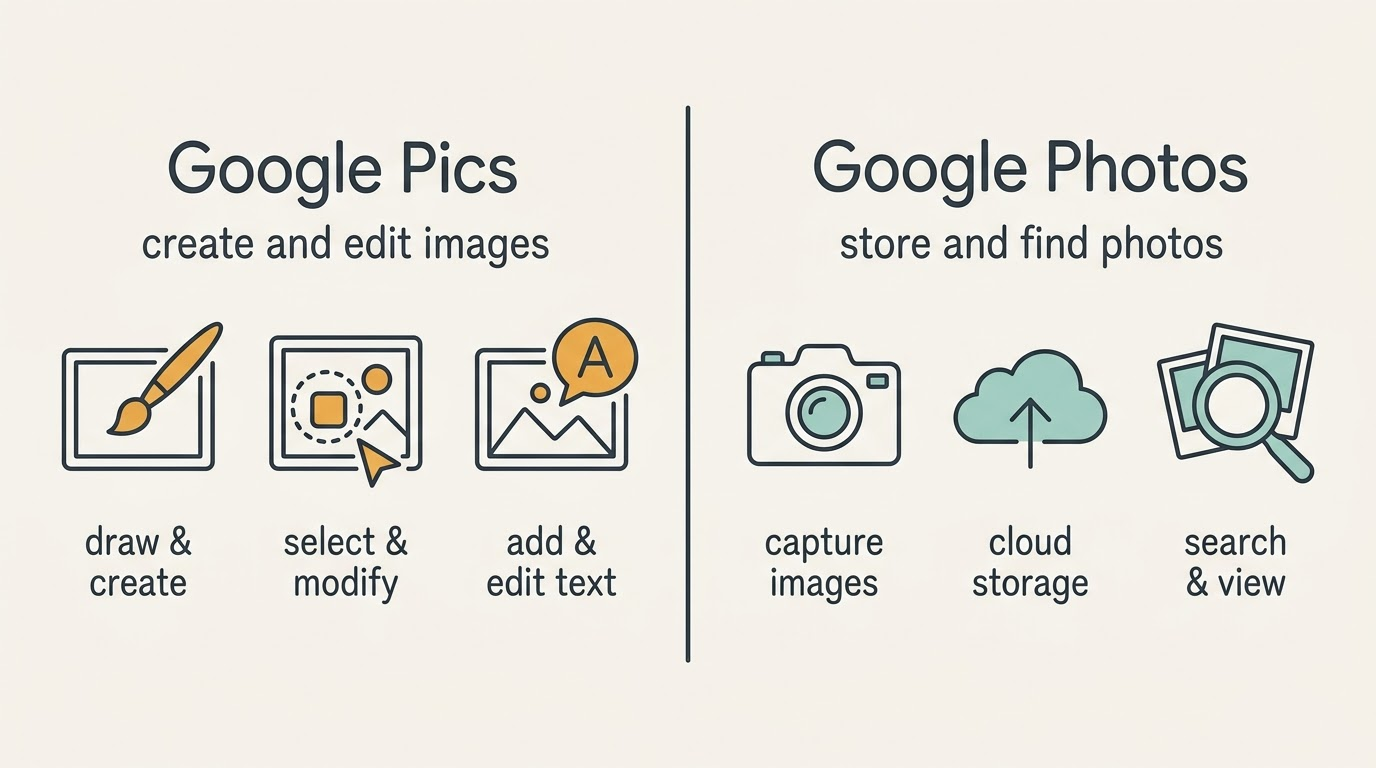
Both products sit under the same account and the same brand, which is exactly why the mix-up is so easy to make and so expensive when it happens at the billing stage.
Same-sounding names, two different Google products
The cleanest way to hold the two apart is by the question each one answers.
The editor answers “I need an image that does not exist yet.” You describe what you want, get several variants from one prompt, then refine precisely — isolate a single object and transform it, rewrite the text baked into the picture, translate that text into another language with the font intact, crop to a format, upscale. It opens at pics.new and appears as an overlay inside Google Docs and Slides.
The library answers “where is that picture I took?” Google describes Photos as a place to back up and keep your memories safe automatically, search your photos and videos for anything — places you have travelled, your pet, your favourite foods — and revisit curated highlights. It lives at photos.google.com and in the mobile apps.
The confusion is not your fault. “Pics” has been ordinary English shorthand for “photos” for decades, and search engines still treat the two words as the same thing, which is why a search for one so reliably lands on the other.
Google Pics vs Google Photos: side by side
| Comparison | Google Pics | Google Photos |
|---|---|---|
| What it is | AI image creation and editing tool | Photo backup, storage and organisation |
| Core job | Make and change images for a project | Keep and find images from your life |
| Product family | Google Workspace | Consumer Google account |
| Model named by Google | Nano Banana | No single model named |
| Where you open it | pics.new, plus Docs and Slides | photos.google.com and mobile apps |
| Deeper integration | Drive, coming weeks after launch | Already part of account storage |
| Who can use it | Google AI Pro and Ultra, eligible Workspace editions | Anyone with a Google account |
| Free tier | Not listed among the plans | Yes, within account storage |
| Storage | Files live in Google Drive | Shared Google Account storage |
| Announced | Google I/O, 19 May 2026 | Long-standing service |
The row that settles most arguments is the free tier. Every Google account already includes storage that Photos uses; the editor is not on that list at all, and Google has never offered it as a standalone purchase. Our Google Pics pricing breakdown goes through every subscription that includes it.
What the Workspace editor actually does
The pitch is precision rather than novelty. Plenty of tools generate a picture from a sentence — the hard part has always been what happens next, when the image is nearly right and regenerating the whole frame throws away everything that worked.
Object segmentation is the answer. You point at one element and change only that element while the rest of the composition holds. Text inside an image gets the same treatment, which is why Google leans on the example of rolling one layout out across several languages without rebuilding it each time.
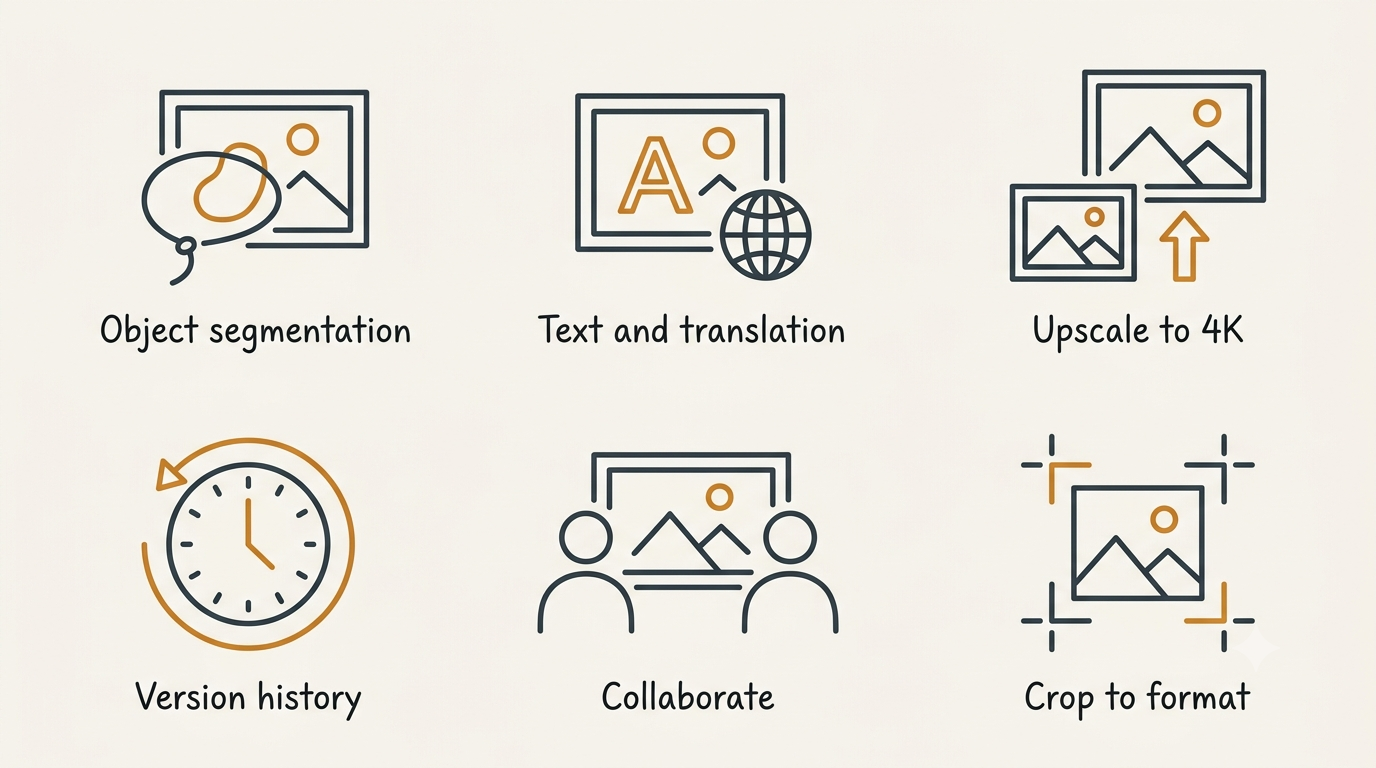
Taken together these are editing controls, not library controls, and that is the honest dividing line between the two products.
Google Pics — our image creation and editing tool from Google Workspace — is rolling out over the coming weeks to all Google AI Pro and Ultra subscribers and most Workspace business customers.
Meg Whittenberger, Google
Around that sit the workflow pieces that make it a Workspace application rather than a toy, listed in the Workspace product announcement:
- several variants from a single prompt, so you pick rather than re-roll;
- cropping presets for web, social, print and digital;
- upscaling to 2K and 4K;
- version history with rollback;
- comments on regions of an image, the way you comment on a paragraph in Docs;
- shared editing and link sharing, with files stored in Drive.
The complete list sits on our features page, and the in-document editing is covered under Docs and Slides.
What Google Photos actually does
Photos remains what it has always been: a library. The product page describes four jobs, none of which overlap with generating artwork:
- automatic backup, so the pictures on your phone stay safe without you thinking about it;
- search across your photos and videos for places you have travelled, your pet, your favourite foods;
- albums and shared albums, with your top shots curated for you;
- corrective editing — Google’s own examples are Magic Eraser and Photo Unblur.
It runs on your Google Account storage rather than on a separate quota. The help centre puts it plainly: your Google Account storage is shared across multiple products like Google Photos, Google Drive and Gmail. Run out and you either clean up or buy more.
That storage is also where the two products stop resembling each other financially. Google One sells you more room across Drive, Gmail and Photos; it does not sell you an image editor. Nothing on the Google One plans page grants access to the Workspace tool, and nothing in the editor’s subscription enlarges your photo library.
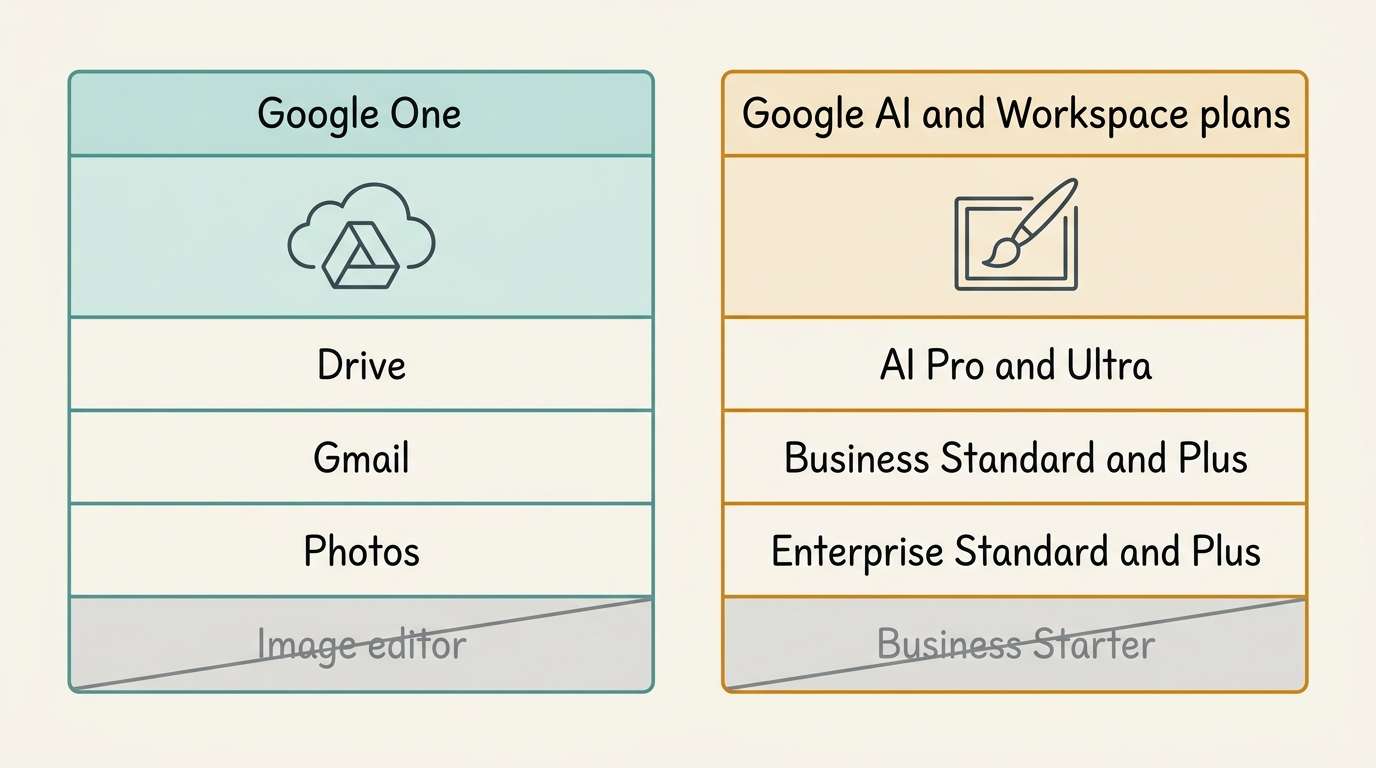
Knowing which column your account sits in answers most of the practical questions before you even open either product.
The plans do not overlap
This is where the mix-up costs real money, so it is worth stating flatly: paying for storage does not get you the editor, and paying for the editor does not get you storage.
Who gets the editor
Access comes through a personal Google AI subscription or an eligible Workspace edition, and the list is short enough to check against your own billing page.
| Account type | Included | Not included |
|---|---|---|
| Personal | Google AI Pro, Google AI Ultra 5x, Google AI Ultra 20x | Free Google accounts |
| Business | Business Standard, Business Plus | Business Starter |
| Enterprise | Enterprise Standard, Enterprise Plus | — |
| Add-ons | AI Expanded Access, legacy AI Ultra Access, Gemini Business and Enterprise | — |
| Education | Google AI Pro for Education | — |
Google has not announced a separate price for the tool itself, and no free tier appears anywhere in the availability documentation. That is not the same as Google saying a free version will never exist — it simply is not among the plans today.
Why you may not see it yet
The rollout is staged rather than instant. Rapid Release domains started receiving it on 1 September 2026 and Scheduled Release domains from 15 September 2026, with up to fifteen days for full visibility in both cases.
Geography and language are broad but not unlimited: the tool is available in every country and region that supports Google Workspace accounts, with personal accounts in Germany as the stated exception, and 29 languages are supported for generation and editing. Our access and rollout guide walks through checking your own eligibility, and the Workspace overview explains where the tool sits in the suite.
What Google One is not
Google One is a storage plan. It expands the same shared pool that Photos, Drive and Gmail draw from, and every Google account starts with up to 15 GB of it at no cost. Confusing that subscription with the AI subscriptions that unlock the editor is the single most common mistake people make on this comparison.
Which one were you actually looking for
Run through these in order and you will land in the right place inside a minute.
- Trying to find, back up or tidy pictures you took yourself? That is Google Photos, at photos.google.com.
- Trying to make an image that does not exist yet — an illustration, a social graphic, a product mockup? That is the Workspace editor, at pics.new.
- Want to change one object or one line of text inside an existing image without rebuilding the whole frame? Also the editor.
- Did your phone gallery change and you want to know why? That is Photos, and the new tool is unrelated to it.
- Administering a work domain and deciding whether to enable something for staff? That is the editor, and it arrives switched on.
Every one of those questions starts from the task rather than the product name, which is the only reliable way through a naming collision this close.
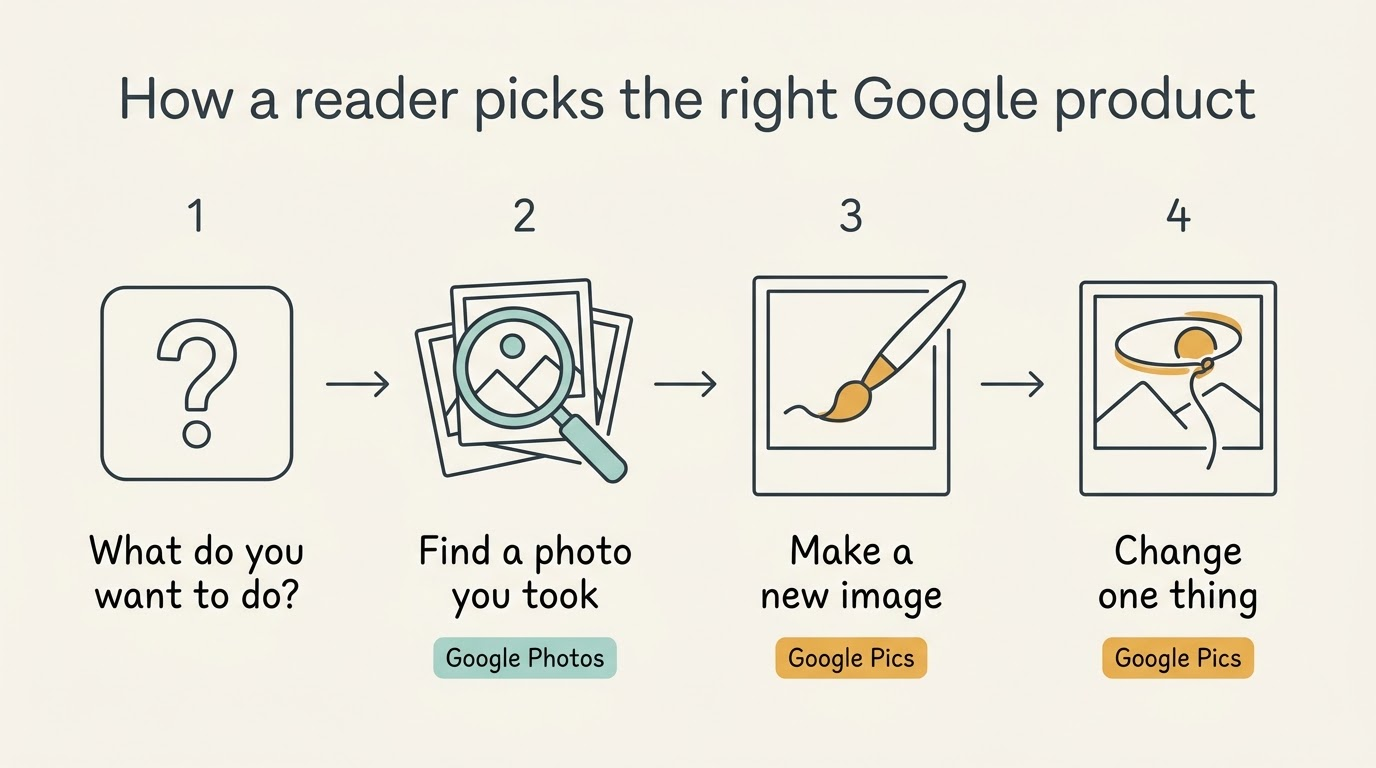
Search results are still catching up with the naming, so if a query for the new product keeps returning storage pages, add “Workspace” to it or open pics.new directly. Our FAQ covers the shorter questions, and the getting started guide picks up from your first prompt.
How the two work together
They are not rivals, but they do touch at one point: you can bring an image from Google Photos into the editor as a starting point, alongside uploads from your computer and files pulled from Google Drive.
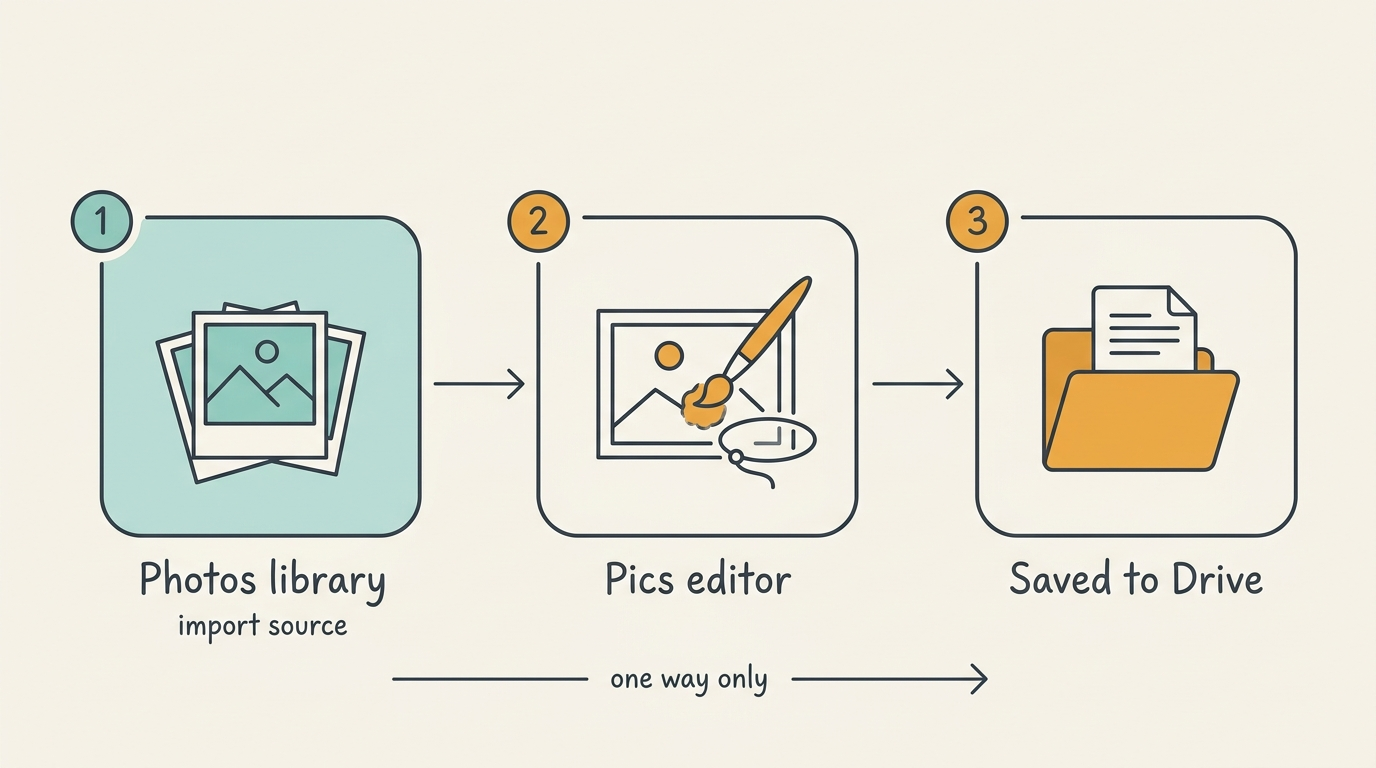
That is the whole extent of the relationship. Finished files are saved to Drive, and Google has described Photos only as a source you import from, never as a destination edits flow back into. Treat Photos as one of several inputs and Drive as the workspace, and the mental model stays clean — as does the answer to whether either product is going away. Neither is.
Official sources
- Google Pics announcement on the Google blog
- Google Workspace product announcement
- Google Pics product page on Google Workspace
- Availability, plans and languages in Docs Editors Help
- Google Photos
- Google Photos storage in the help centre
- Google One plans
- pics.new